Ticket packages (or tiers) allow you to offer different pricing options and experiences for your event. For example, you can create packages like General Admission, VIP, Early Bird, or Group Tickets.
Log in to your PayChangu dashboard.
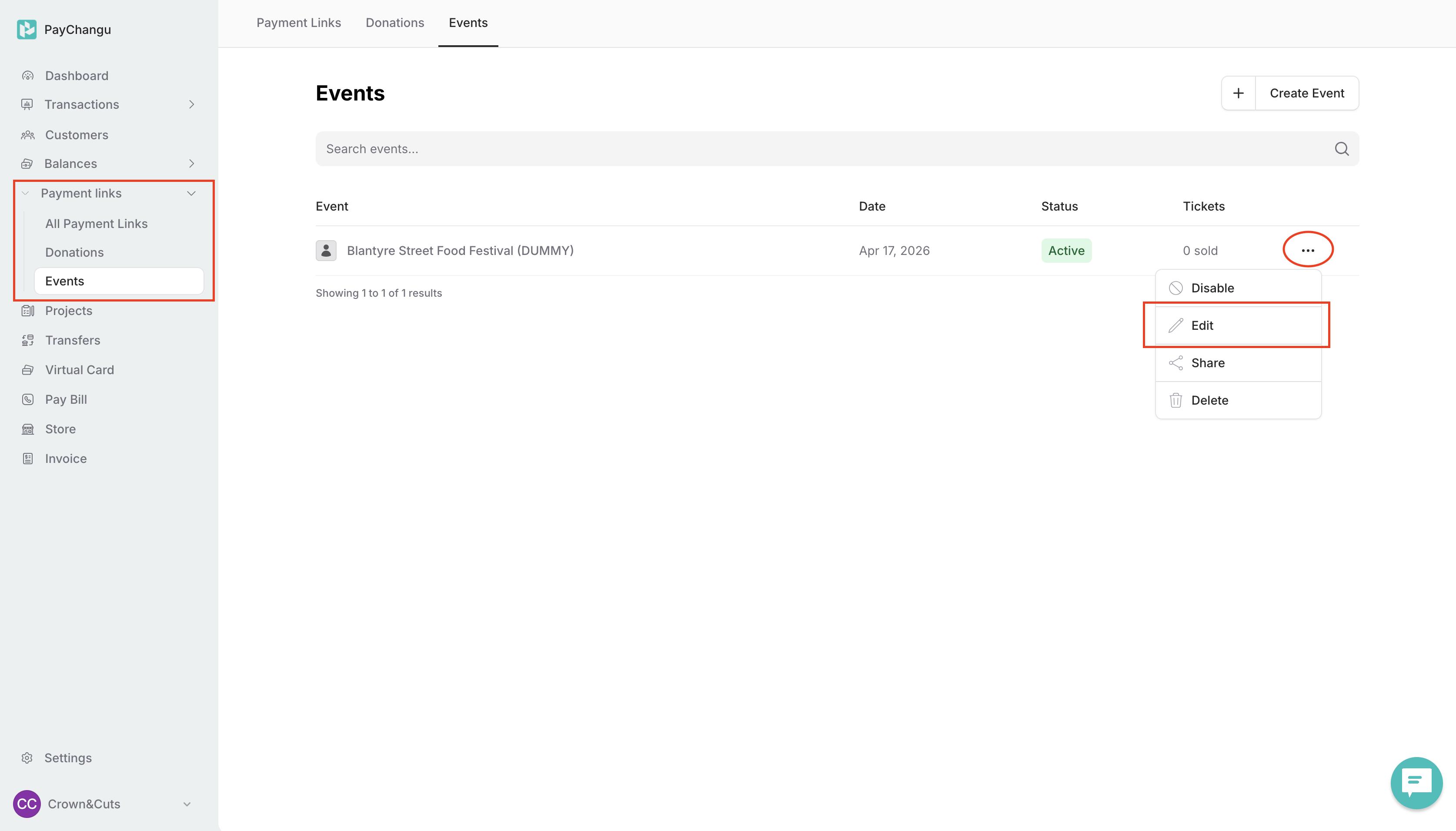
Go to Payment Links → Event tab.
Find the event you want to customize.
Click the three dots (⋮) next to the event and select Edit.
Once inside the event editor, click on the Packages tab.

By default, a General Admission package is already created for you.
You can edit it to match your needs by updating:
Package Name
Price
Quantity Available
Description

To create additional ticket tiers, click Add Package.

Enter the required details:
Package Name (e.g. VIP, Early Bird)
Price
Quantity Available
Description
Select Create Package to update package information.

After creating or editing packages, click Save to apply your changes.
Your ticket options will be immediately available on your event page.

Use clear package names to differentiate tiers.
Offer limited quantities for special packages like Early Bird to create urgency.
Add short descriptions to highlight what each package includes.
Once your ticket packages are set up, learn how to create event coupons to offer discounts and promotions for your tickets.